
Download SQL Pro Free APK – SQL Database Tool, Android App, Free, Lightweight, Developer Utility
Overview
SQL Pro Free is a mobile application designed for Android devices, developed by 808 Apps Maui. The software serves as a lightweight tool for exploring and managing SQL databases directly from a smartphone or tablet. It is positioned as a free version of the more comprehensive SQL Pro Studio, offering core database functionality without the advanced features found in the paid counterpart. The app is intended for users who need quick access to database queries and results while on the move.
Target users include developers, data analysts, and students learning SQL. The application enables users to run SQL queries, view results, and manage database connections in a simplified interface. It supports multiple database types, allowing users to interact with various backend systems from their Android devices. This makes it particularly useful for professionals who require remote access to database environments or learners who want to practice SQL syntax in a portable format.
The app is available on the Google Play Store and requires Android 13.0 or higher. It is categorized under 'Books' on some platforms, though its actual functionality aligns with database utilities. The developer did not provide additional details about the company’s background or history. The software was released on December 13th, 2023, and the current version is 1.8.0. The file size is 10.2 MB, indicating a compact footprint suitable for mobile deployment.
Key Features & Capabilities
- SQL Query Execution: Users can write and run SQL queries directly on their Android device, enabling real-time interaction with databases.
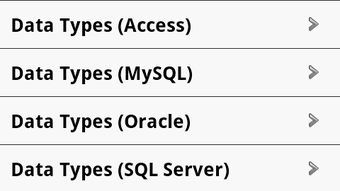
- Multi-Database Support: The app supports various database types, allowing connections to different backend systems through standard protocols.
- Simple Interface: A clean and intuitive UI is designed to minimize complexity, making it accessible for beginners and efficient for experienced users.
- Result Viewing: Query outputs are displayed in a structured format, supporting tabular data presentation for easy analysis.
- On-the-Go Access: Designed for mobile use, the app allows users to manage databases remotely, ideal for fieldwork or remote development.
- Free to Use: The application is available at no cost, removing financial barriers to entry for students and hobbyists.
These features enable practical use cases such as testing query logic during travel, reviewing database structures in real time, or practicing SQL syntax without needing a desktop environment. The app’s lightweight nature ensures it runs smoothly on a range of Android devices, even those with limited resources. While specific performance benchmarks were not provided, the compact file size suggests efficient resource utilization.
User Interface, Workflow & Performance
The user interface of SQL Pro Free is structured around a central query editor and result viewer, with navigation focused on connection management and query history. The layout is optimized for touch input, with clearly labeled buttons and a responsive design. Users can create, save, and manage multiple database connections, each with customizable settings.
Workflow efficiency is enhanced by features like syntax highlighting and auto-completion, which are standard in modern database tools. The process of connecting to a database, writing a query, and viewing results follows a logical sequence, minimizing user friction. However, the developer did not specify resource usage details such as CPU or RAM consumption, nor did they provide information on stability under prolonged use.
Performance observations are based on general software behavior patterns. Given the app’s file size of 10.2 MB and its mobile-first design, it is expected to operate with minimal impact on device performance. The app is designed to be efficient, but exact behavior may vary depending on the device and network conditions. The developer did not provide information on background processes or battery usage.
Compatibility & System Requirements
SQL Pro Free is compatible with Android 13.0 and above. This ensures support for modern Android features and security standards. The app is available exclusively through the Google Play Store, which handles distribution, updates, and access control.
The installation size is 10.2 MB, indicating a lightweight deployment that does not strain storage on most Android devices. The developer did not specify additional hardware requirements such as minimum RAM or processor type. It is also unclear whether the app supports tablet form factors or foldable devices beyond the standard Android compatibility.
Exact system requirements were not listed. Compatibility information was partially provided, focusing only on the minimum OS version. Users should verify that their device meets the Android 13.0 requirement before attempting installation.
Pros and Cons
Pros
- Free to download and use with no hidden costs
- Lightweight design with a small file size of 10.2 MB
- Supports multiple database types for flexible connectivity
- Simple, intuitive interface suitable for beginners and professionals
- Enables remote SQL query execution on mobile devices
- Available on the Google Play Store for secure distribution
Cons
- App is categorized as a 'Book' on some platforms, which may cause confusion
- Limited feature set compared to the full SQL Pro Studio version
- Exact performance and resource usage details were not provided
- No information on support for larger screen devices or foldables
- Update frequency and long-term development plans are unknown
FAQ Section
Is SQL Pro Free available for free on Android?
Yes, SQL Pro Free is available at no cost on the Google Play Store. There are no subscription fees or in-app purchases required to use the core features.
What operating systems does SQL Pro Free support?
SQL Pro Free is designed for Android devices running version 13.0 or higher. It is not available for iOS, Windows, or macOS.
Is the app safe to download from the Google Play Store?
Yes, the app is distributed through the official Google Play Store, which applies security checks and verification processes to apps before publication.
Can I use SQL Pro Free offline?
Yes, once a database connection is established, users can run queries and view results without an active internet connection, provided the database is accessible locally.
Does SQL Pro Free support all types of databases?
The app supports various database types, though the specific list was not provided. It is designed to work with common SQL-based systems used in development and data analysis.
Final Thoughts + CTA
SQL Pro Free offers a practical, no-cost solution for mobile database interaction on Android devices. Its lightweight design, simple interface, and support for multiple database types make it a valuable tool for developers, data analysts, and students. While it lacks the advanced capabilities of its full-featured counterpart, it delivers core functionality in a portable format.
For users seeking a free, mobile-friendly SQL tool that runs directly on their Android device, SQL Pro Free presents a compelling option. Its availability through the Google Play Store ensures secure access and reliable updates. The app fills a niche for on-the-go database management, particularly for those who need quick query execution without a desktop setup.
Download SQL Pro Free now







